Guacamole RDP Gateway
This option supports the opening of an RDP connection from the UMP 365 Device page via the Apache Guacamole VPN gateway to the Windows server residing the UMP application. This feature supports 10 simultaneous Remote access sessions where the Administrator can view the list of active sessions and close (stop) sessions manually.
| ➢ | To activate the Guacamole RDP gateway: |
| 1. | From the Application menu, choose Guacamole RDP Gateway, and then press Enter. |
Guacamole RDP Gateway
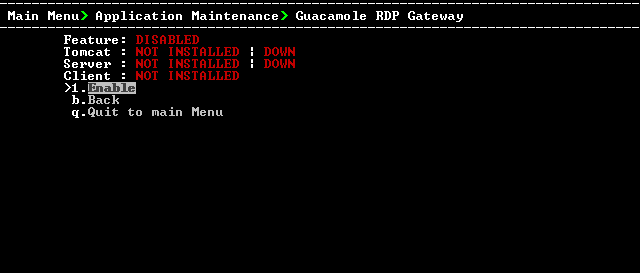
| 2. | Select Option 1 to enable the RDP Gateway. |
The gateway is built and installed.
Building and Installing RDP Gateway
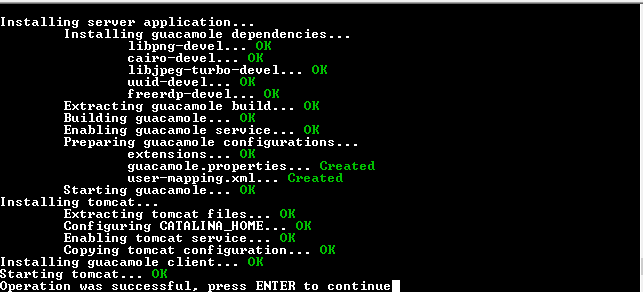
Enabled Guacamole RDP Gateway
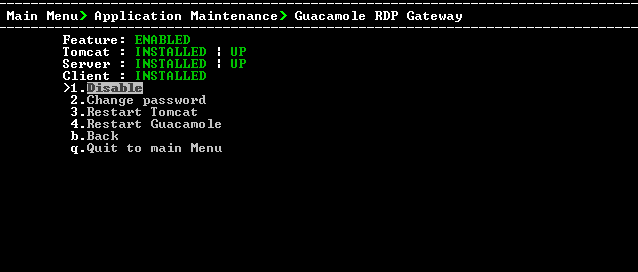
| 3. | Do one of the following: |
| ● | Change password: Select Option 2, enter the current password, enter new password and confirm (default username umpman, default password: umppass) |
| ● | Restart Tomcat: Select Option 3 and confirm. |
| ● | Restart Guacomole: Select Option 4 and confirm. |